 "It all begins with the Map!"
We empower the people who manage the school choice process.
GeoAuthor® or GeoAuthorGT™,GeoSchools© and GeoChoice®, designed to serve, bring the ease-of-use offered by Geographic Information Systems (GIS) to those who manage the school choice process.
ICW brings you a GIS solution designed for school choice while offering the ability to integrate with existing GIS and interoperate with existing school management systems.
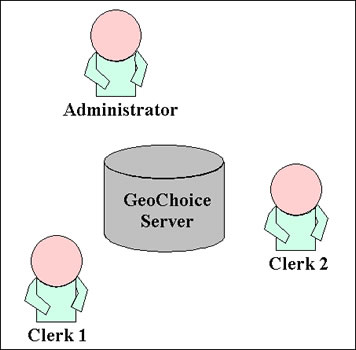
Multi-User With Security
Solutions based upon tried and true methods and tools, proven with end-user success represent the basis of the application we want to introduce into your office. Capabilities such as:
|
|
|---|---|
|
|
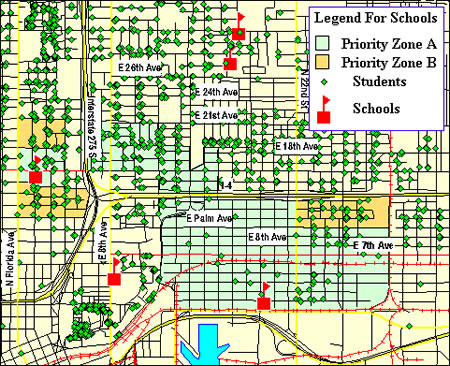
Easy-to-use Mapping
Designed for ease-of-use and parameter driven flexibility, GeoChoice® as a multi-user application offers three levels of user access managed by the Administrator. Each level has increasing functionality including data-entry, report generation, parameter control and access to student information including web access for parental inquiries.
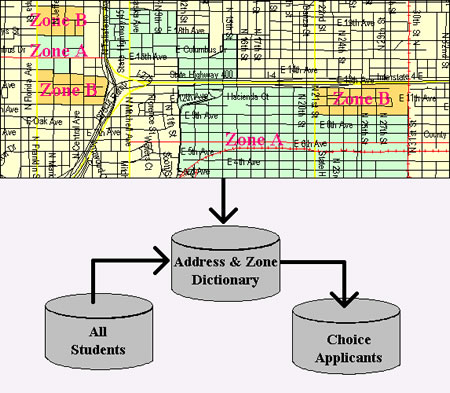
Integrated Data Sets
Pupil Assignment Before and After GeoChoice®
| Before | After | ||
|---|---|---|---|
| 1. | Do not offer School Choice. | 1. | Open GeoSchools© and TIGERUS©. |
| 2. | Attempt to conduct choice manually. | 2. | GeoCode your students. |
| 3. | Solicit the assistance of the PTA. | 3. | Define your geographic areas. |
| 4. | Request your MIS Department to develop a choice program. | 4. | Do the best you can and purchase GeoChoice® from International Computer Works, Inc. |
| 5. | Purchase a legacy application from? | 5. | Have Clerks 1 and 2 enter the applications for choice |
| 6. | Struggle to train your staff and the attending households to accept your approach. | 6. | Run choice and send out your offers. |
| 7. | Do the best you can and purchase GeoChoice® from International Computer Works, Inc. | 7. | Maintain either an applicant pool and or a wait list. |
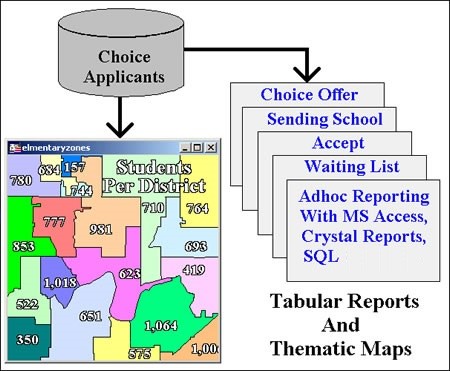
Reporting and Analysis
Following is a list of the items on the pull down menu for the Administrator. Included is an illustration of the pull down menu and a brief overview of the functionality for each option.
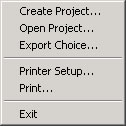
| 1. | File | Is the first pull down menu option from the GeoChoice® main menu.
|
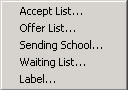
| 2. | Edit | Provides the Administrator with access to discrete functions contained in the Edit pull down menu.
|
| 3. | Report | Provides the Administrator with a list of standard reports that can be selected from the pull down menu option.
|
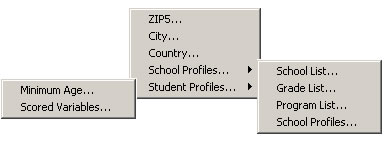
| 4. | Parameters | Represents the key feature of GeoChoice® to meet the divergent needs of communities over time. The expanded pull down menu for Parameters is illustrated below.
|
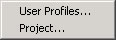
| 5. | Setup | Through the menu options contained in the Setup pull down menu the Administrator can control user names and privileges for each of the three categories of application user (i.e. Clerk1, Clerk2 and Administrator). Additionally, the Administrator can point all of the users to the current project.
|
| 6. | Help | From the Help menu the user can access the About function illustrated in Figure 9. The About option contains information pertaining to the currently installed version of GeoChoice®.
|
Call ICW for additional details about GeoChoice®.